 Cullstack
Cullstack
Cullstack
Cullstack is a photo and video culling tool that works across your entire storage stack: local drives, NAS, SFTP, Dropbox, OneDrive, Google Photos, iCloud, and your phone, without downloading or consolidating first.
One window for all of them. Cull a wedding shoot stored across your NAS and Dropbox without downloading first.
Browse your Synology NAS, SFTP backup server, Dropbox, OneDrive, and iPhone in the same window. Star, rate, tag, and move files across storage backends without ever leaving the app. The interface speaks thirteen languages, including Japanese, Korean, Simplified and Traditional Chinese, Polish and Dutch.
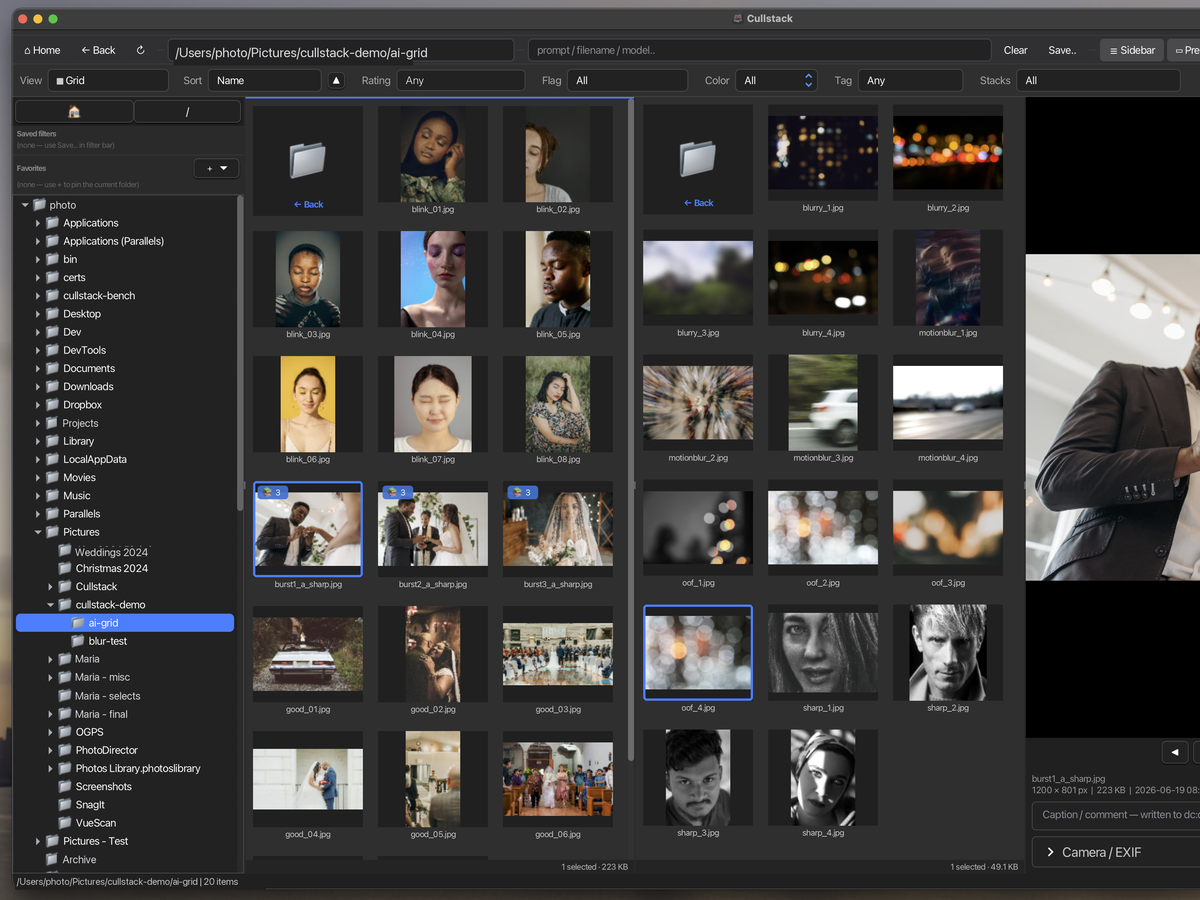
Split Grid puts two locations side by side, so you can compare a card against the shoot it belongs to, or move selects from one drive to another without losing your place. Each pane keeps its own tabs, filters and sort order, and either side can be a local folder, a NAS, or a cloud account.
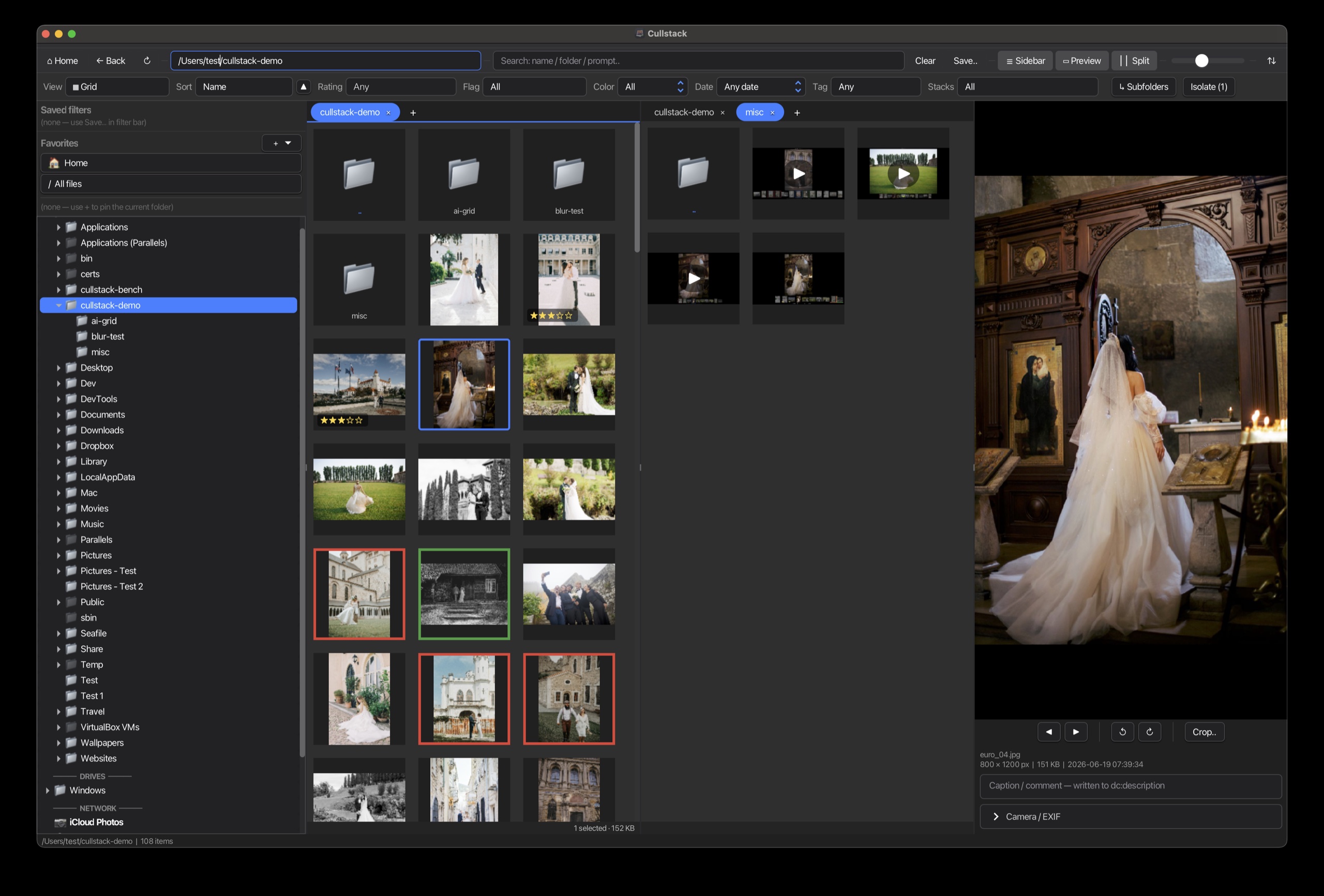
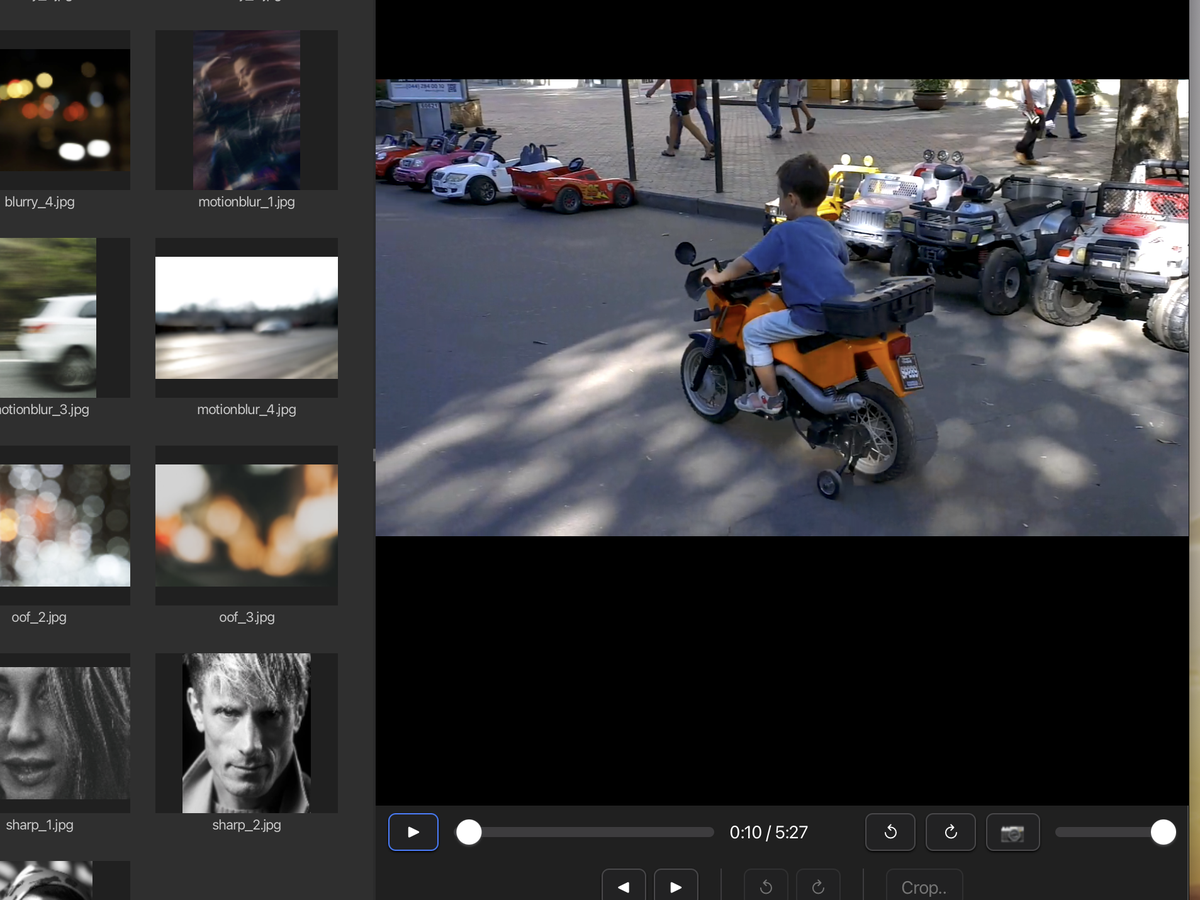
Most culling tools treat video as an afterthought. Cullstack ships full Metal-accelerated video preview, frame-accurate scrubbing, and snapshot-to-image, so hybrid photo/video shooters can cull both kinds of footage in one workflow.
Cullstack stays responsive at 100,000+ photos, even from a NAS, where some competitors slow to a crawl, stop responding or crash.
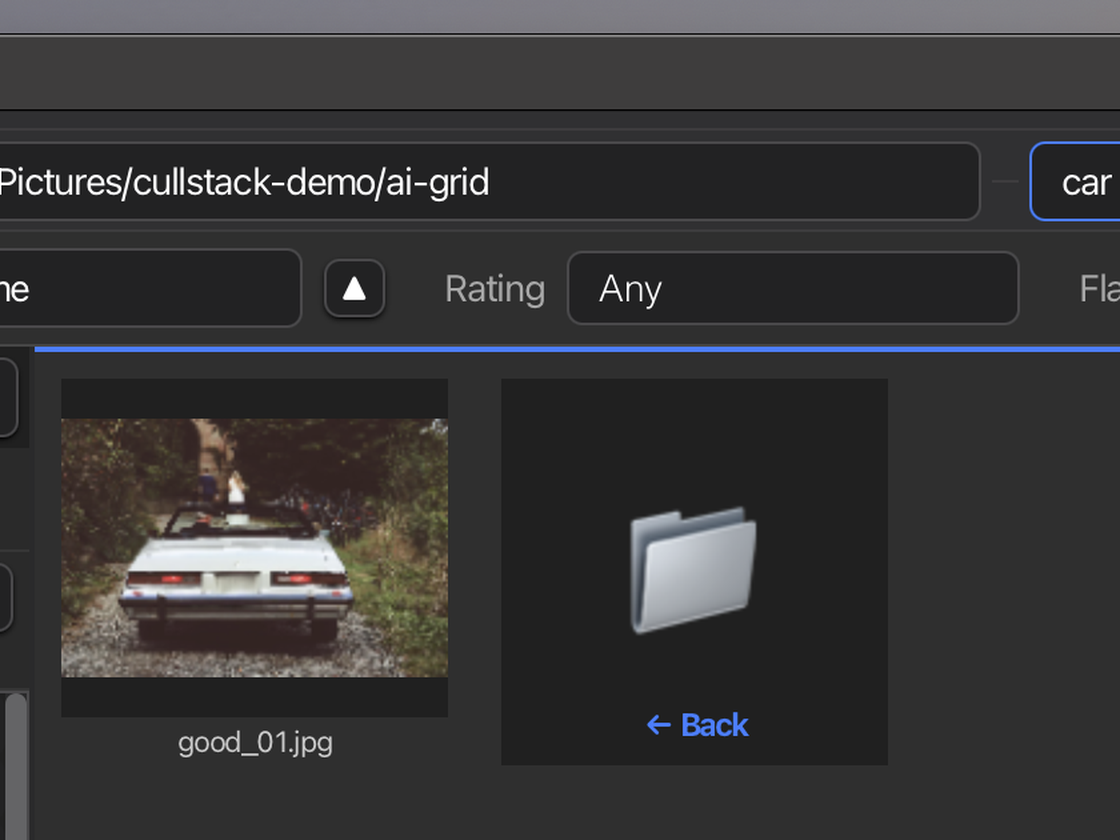
Type what you're looking for ("car", "red dress", "the cake") and Cullstack's on-device AI surfaces the matches. No keywords to tag first, no cloud round-trip. Just describe it and it's there.
Culling, rating and the AI all run on your own computer. The AI models download once; after that, Cullstack works offline. No telemetry, and your photos are never used to train anything. It reads and writes your files where they already live, which suits client NDAs and confidentiality contracts.
Plug in your iPhone or Android and Cullstack brings in only what is genuinely new. Most import tools re-download photos you already have, because iOS reports a different path and timestamp for the same shot each time you connect, so they can’t tell old from new, and you spend the evening deleting duplicates.
Cullstack fingerprints every photo it imports and matches on content, not filenames or dates. Connect the same phone a week later and you get that week’s new frames, nothing else. No Image Capture, no Android File Transfer, no duplicate cleanup.
Incremental phone import is a Pro feature, available on macOS.
One license works on Mac, Windows, and Linux. Your ratings, tags, and collections are stored in a local database on your machine, and Cullstack can write standard XMP sidecars next to your files, so Lightroom, Bridge, and Photo Mechanic see your work too.
Cullstack is fully translated into 13 languages: English, Deutsch, Español, Français, Italiano, Nederlands, Polski, Português, Русский, 中文, 繁體中文, 日本語 and 한국어. Switch any time in Settings, and Traditional Chinese uses Taiwanese wording rather than a straight character swap. Built for photographers everywhere, not just the English-speaking world.
Culling is a game of speed: you make a keep-or-cut call in the time it takes the next photo to appear. Cullstack is built around that moment.
The photo is on screen the instant you land on it, then sharpens to full resolution a heartbeat later.
iPhone libraries bring most tools to a crawl. In Cullstack, a folder of thousands of iPhone photos loads and culls as smoothly as a card full of RAW.
Big folders fill in fast the first time and open instantly after. The interface stays responsive at 100,000+ photos.
About 3 seconds
for a folder of 98 RAW files from 20 different cameras to fill with thumbnails, straight from a network drive on a local network. Open it again and it is instant.
Files from Canon, Nikon, Sony, Fujifilm, Panasonic and OM System bodies, on a server over a wired local network, with nothing cached beforehand. Measured on a 2015-era quad-core Intel desktop running macOS.
100,000 photos
listed in about 14 seconds, straight from a network drive with Include Subfolders, with the first photos on screen in under a second. No freezes and no crashes, where some photo browsers slow to a crawl or quit.
Same network and computer as above: 100,000 photos in 1,000 folders.
About 45 minutes
to prepare thumbnails for 100,000 photos on a network drive with Build Cache. After that, the whole library opens instantly.
Same network and computer as above: 100,000 photos in 1,000 folders, with nothing cached beforehand.
About 30 seconds
to list 100,000 photos with Include Subfolders from a network drive in another city, over the internet. The window stays smooth while they come in.
The same 100,000 photos in 1,000 folders, reached over a VPN across the internet with about 60 ms of delay, nothing cached beforehand.
About 3 hours
to prepare thumbnails for 100,000 photos with Build Cache from a network drive in another city, over the internet. Start it before bed and every thumbnail is ready in the morning.
The same 100,000 photos in 1,000 folders, reached over a VPN across the internet with about 60 ms of delay and about 110 Mbps, nothing cached beforehand.
On an M-series Mac with a cold cache we measure the next JPEG on screen in about 50 ms and HEIC in about 70 ms, the same whether you just opened the folder or have been working in it for hours.
Culling means handling your clients' most private moments: weddings, newborns, families, work under NDA. So Cullstack keeps everything on your computer by default. Nothing is uploaded unless you choose to turn on a cloud feature yourself. Private is the default; the cloud is your call, not ours.
Reading, culling, rating, AI. It all runs on your machine. No account required, no servers in the loop, no copy of your shoot leaving your computer unless you explicitly ask it to.
Cloud editors upload your clients' photos by default and ask you to trust their retention policy. Cullstack flips that: nothing leaves unless you opt in, knowingly, for that specific task.
On location with no signal, behind a client firewall, or just careful with confidential work. Once installed and activated, culling, rating and the AI work the same with the network switched off.
Private by default, your choice always. Your photos go to the cloud only if you decide they should.
An Annual License with Perpetual Use Rights: your license includes every update released during your active term, and if you choose not to renew you keep your last licensed version, working, indefinitely. Mac, Windows, Linux from one license.
$0forever · no account required
A real photo manager for personal libraries.
No expiry. No nag. Yours to keep.
$99USD / year · full Pro features
First year $99. Regular Pro is $179/yr at release.
Every renewal stays $99/yr, for as long as you keep renewing. How renewals work.
Everything Cullstack does: the full culling toolkit plus on-device AI, cloud / network drives, and the pro workflow.
30-day free trial of Pro features · 3 device activations · all updates during your active term · keep your version if you don't renew · volume licenses for studios, contact sales@aviastone.com.
Regular pricing after Early Access: Standard $99/yr (the full culling & organizing toolkit) · Pro $179/yr (adds on-device AI, cloud & network drives, and Live Ingest). Both are annual licenses with perpetual use rights, and both renew cheaper — $59/yr Standard, $99/yr Pro. Renewal pricing is explained in the FAQ.
| Free | Standard | Pro | |
|---|---|---|---|
| Browsing & viewing | |||
| Browse local drives | ✓ | ✓ | ✓ |
| Recursive subfolder browsing | — | ✓ | ✓ |
| Photo viewer (RAW, JPEG, HEIC, TIFF, PSD, WebP, PNG) | ✓ | ✓ | ✓ |
| Video player (H.264, H.265, ProRes, AV1, VP9) | ✓ | ✓ | ✓ |
| Full-screen viewer, slideshow, compare | ✓ | ✓ | ✓ |
| AI generation metadata display (A1111, ComfyUI, Midjourney) | ✓ | ✓ | ✓ |
| Culling & organization | |||
| Color labels | ✓ | ✓ | ✓ |
| Reads XMP sidecars (other apps' metadata) | ✓ | ✓ | ✓ |
| Star ratings (0-5) & pick / reject flags | — | ✓ | ✓ |
| Comments per file | — | ✓ | ✓ |
| Full-screen culling mode (auto-advance on rate) | — | ✓ | ✓ |
| Tags & hierarchical keywords | — | ✓ | ✓ |
| Stacks (manual & auto-grouping) | — | ✓ | ✓ |
| Group Similar Shots: one key stacks every burst, sharpest frame on top | — | ✓ | ✓ |
| Smart collections / saved filters | — | ✓ | ✓ |
| Sort persistence per folder + manual sort | — | ✓ | ✓ |
| XMP sidecar writer (round-trip with Lightroom / PM) | — | ✓ | ✓ |
| File operations | |||
| Single-file rename, delete, copy, move | ✓ | ✓ | ✓ |
| Duplicate finder: find & view duplicates (exact match) | Read-only | ✓ | ✓ |
| Duplicate finder: delete / move duplicates from results | — | ✓ | ✓ |
| Duplicate finder: perceptual (visual similarity) | — | ✓ | ✓ |
| Privacy scan + EXIF / GPS scrub | — | ✓ | ✓ |
| Export pipeline (resize, format convert, quality) | — | ✓ | ✓ |
| Template rename (with AI metadata tokens) | — | ✓ | ✓ |
| Compress to ZIP | — | ✓ | ✓ |
| AI assistance (on-device, no cloud) | |||
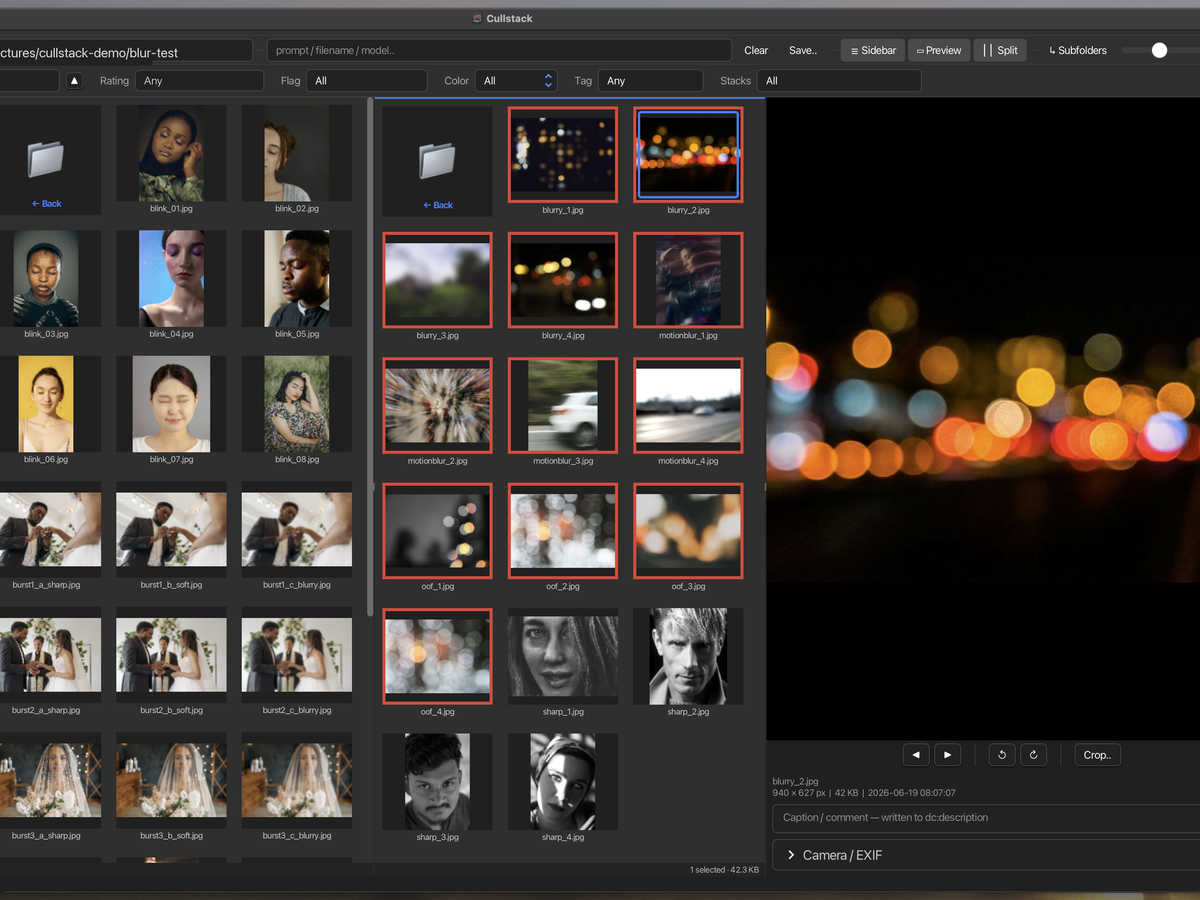
| CLIP semantic image search (type "sunset over water") | — | — | ✓ |
| Face detection (single + batch select) | — | — | ✓ |
| Closed-eye detection (flag blinks across a shoot) | — | — | ✓ |
| Out-of-focus eye detection (focus missed the eyes) | — | — | ✓ |
| Best frame on top by AI: eyes open, well exposed, sharpest faces | — | — | ✓ |
| Blur & quality flagging (soft, defocus, motion blur) | — | — | ✓ |
| Exposure flagging (too dark or too bright, across a folder) | — | — | ✓ |
| People / NSFW content flagging | — | — | ✓ |
| Auto-stack by AI similarity (CLIP) | — | — | ✓ |
| Auto-stack bursts (capture time + AI) | — | — | ✓ |
| Auto-stack by face identity (ArcFace / MobileFaceNet) | — | — | ✓ |
| Recursive CLIP indexing across full libraries | — | — | ✓ |
| Pro workflow | |||
| Cloud & network drives (WebDAV, SFTP, Dropbox, OneDrive) | — | — | ✓ |
| Google Photos & iCloud Photos browsing | — | — | ✓ |
| Live Ingest (tethered / Wi-Fi hot folder, auto-rename + metadata) | — | — | ✓ |
| Incremental phone import (only new photos, integrity-checked) | — | — | ✓ |
| Split Grid (dual-pane workflow) | — | — | ✓ |
| IPTC metadata editor + templates | — | — | ✓ |
| Batch IPTC apply across selection | — | — | ✓ |
| Batch rename, batch privacy scrub, batch export | — | ✓ | ✓ |
| Stack-aware batch operations | — | — | ✓ |
| Priority email support | — | — | ✓ |
| Platform & licensing | |||
| Mac, Windows, Linux | ✓ | ✓ | ✓ |
| Device activations | Unlimited | 3 | 3 |
| Keep your version, working, indefinitely | ✓ | ✓ | ✓ |
| Updates | Free | During active term | During active term |
| Cullstack | Photo Mechanic | Adobe Bridge | digiKam | Aftershoot | Evoto | ACDSee | |
|---|---|---|---|---|---|---|---|
| Storage and import | |||||||
| Multi-cloud browsing (Dropbox, OneDrive, Google Photos) | ✓ | — | — | — | — | — | — |
| SFTP / WebDAV / NAS browsing | ✓ | — | — | — | — | — | — |
| iPhone / Android USB import | Mac | — | Partial | Partial | — | — | Partial |
| Live ingest (tethered / Wi-Fi hot folder) | ✓ | ✓ | — | — | ✓ | ✓ | Phone only |
| Work offline on network folders (edits sync back) | ✓ | — | — | — | — | — | — |
| Culling and workflow | |||||||
| First-class video culling | ✓ | Basic preview | Partial | Partial | — | — | Partial |
| Duplicate finder (exact + visual similarity) | ✓ | — | — | ✓ | Similar-shot grouping | Similar-shot grouping | ✓ |
| Split Grid (two folders side by side) | ✓ | Multiple windows | Multiple windows | — | — | — | — |
| Polished pro UX (modern UI, fast culling) | ✓ | ✓ | Dated | Complex UI | ✓ | ✓ | ✓ |
| On-device AI | |||||||
| On-device AI (semantic search, face detection, smart stacking) | ✓ | — | — | Faces, auto-tags, quality | Faces + grouping | Cloud | Keywords, faces, similarity |
| AI-generated image detection (is this photo real?) | ✓ add a model | — | Content Credentials badge | — | — | — | — |
| AI generation metadata (A1111, ComfyUI, Midjourney) | ✓ | — | — | — | — | — | — |
| Privacy | |||||||
| Runs locally, no cloud upload | ✓ | ✓ | ✓ | ✓ | ✓ | Cloud | ✓ (gen AI: cloud) |
| Privacy scan + EXIF / GPS scrub | ✓ | Strip, no scan | Metadata edit | Strip, no scan | — | — | Strip, no scan |
| Platform and licensing | |||||||
| Cross-platform (Mac + Win + Linux) | ✓ | Mac + Win | Mac + Win | ✓ | Mac + Win | Mac + Win | Win (Mac: separate app) |
| Linux support | ✓ | — | — | ✓ | — | — | — |
| Multi-lingual support | ✓ | — | ✓ | ✓ | ✓ | ✓ | ✓ |
| Pricing | Free + $99–$179/yr | $149/yr · $299 | Free | Free (open source) | Sub only | Credits / sub | Both |
| Keep your version if you stop paying | ✓ | Perpetual only | ✓ | ✓ | — | — | Perpetual only |
Compared values reflect publicly documented features as of 2026. Cullstack is positioned for photographers who manage their own files across multiple storage systems and want machine-assisted speed without giving up the final call, overlapping with Aftershoot on AI helpers but not trying to be a fully-automated culler, and complementary to RAW developers (Lightroom / darktable / RawTherapee). Free Cullstack also competes directly with Adobe Bridge and digiKam for the local-files-only use case. Evoto is a cloud-based AI editor that recently added culling; its core editing uploads your photos to Evoto's servers, and whether its culling runs on-device is not publicly documented.
30-day free trial. Full feature set. No credit card. No account.
Not sure which Mac? Apple menu → About This Mac. “Apple M1/M2/M3…” is Apple Silicon, “Intel” is Intel.
Prefer no installer? Grab the portable build. Unzip and run, no admin rights needed: Windows · Linux.
See what’s new in this release. Need an older build? See previous versions.
Cullstack is signed and notarized on macOS, and code-signed on Windows.
"Early Access" is about the product's maturity: the app is functional and we use it daily on real shoots, but it's young and moving fast, so expect frequent updates, the occasional rough edge, and a responsive team if something breaks.
As an early buyer you get full Pro features for $99 in your first year, $80 off the $179 Pro price that applies at release. What you're buying is an Annual License with Perpetual Use Rights. At release, pricing becomes two paid tiers:
Prefer to try before you buy? The 30-day free trial unlocks the full Pro feature set. No credit card, no account.
Yes, any time. You pay the difference, prorated for whatever is left of your current term, and your renewal date doesn't change. At today's prices that's about $80 to move from Standard to Pro mid-term.
Early Access includes the full Pro feature set, so you renew as Pro, at $99/year. That is the same price you paid for the first year, and it does not change for as long as you keep renewing. Every Pro customer renews on the same terms, whatever they paid first time.
Cullstack is an annual license with perpetual use rights. The version you've licensed keeps working forever, even if you stop renewing. Activation is verified at purchase and re-checked occasionally for refund/fraud protection, but the app continues to function with a long offline grace window. We will publish a final unlock build if we ever wind down the product.
Yes. Each license includes 3 device activations. You can deactivate from a machine you're retiring (Help → Manage License → Deactivate) and free up a slot for a new install. If you've run out of slots due to lost devices, email support@aviastone.com and we'll reset them.
Yes. 10% off for verified students, educators, and registered non-profits. Email sales@aviastone.com with proof of status.
Photo Mechanic is the gold standard for fast metadata-driven culling , particularly for sports and news photographers with deep IPTC workflows. Cullstack focuses on a different problem: helping photographers cull across multiple storage systems without consolidating to local first. We work with NAS, SFTP, Dropbox, OneDrive, Google Photos, iCloud, and your phone in one window.
Yes. Cullstack ships on-device AI helpers: semantic image search ("sunset over water"), face detection, closed-eye flagging, NSFW flagging, and AI auto-stacking by visual similarity, capture-time bursts, or face identity (with optional ArcFace / MobileFaceNet models).
What Cullstack doesn't do is pick your keepers for you. Aftershoot's lane is "give me the AI's picks and I'll refine"; Cullstack's lane is "give me AI hints + the fastest possible cockpit to drive my own cull." If you want the machine to decide, Aftershoot's a better fit. If you want machine-assisted speed but keep the final eye on every frame, that's us.
All models run locally, so no photos ever leave your machine, no Cullstack server in the loop. Compatible with the strictest client NDAs.
No. The interface is available in thirteen languages: English, German, Spanish, French, Italian, Dutch, Polish, Portuguese, Russian, Simplified Chinese, Traditional Chinese, Japanese and Korean. Cullstack follows your system language on first run, and you can change it any time in Settings. Anything not yet translated falls back to English rather than showing a blank.
Yes, via Live Ingest. Point your camera's tether software, a Wi-Fi/FTP card, or an SD auto-import at a watch folder, and Cullstack imports each new frame the moment it finishes writing , auto-renamed from a template, stamped with your IPTC creator and copyright, and jumped to in the grid so you cull as you shoot. It's the same hot-folder live-ingest workflow Photo Mechanic pioneered, with write-completion detection so a half-transferred frame is never imported truncated.
Cullstack doesn't drive the camera itself (firing the shutter or changing ISO/aperture from the computer). That's full tethered capture, which Capture One and Lightroom handle. For the cull-as-you-shoot workflow most event, studio, and news photographers actually use, Live Ingest covers it.
Yes. There's an AI filter in the grid filter bar with three modes: Any, AI only, and Non-AI only. Photos detected as AI also get a magenta ✦ AI badge in the top-right of their grid cell. Useful for separating client deliverables from moodboard inspiration, auditing a delivery folder before sending, or tagging stock-license-clean photos.
Detection runs in six layers, fastest first, and stops on the first match:
Tiers 1–5 are built in and run automatically. In testing across mixed libraries they catch the large majority of AI photos on their own.
Pick a photo of someone (select it in the grid, or choose a file) and Tools → AI → Find this person filters the grid to their other shots. It matches on facial identity (the geometry of the face), not clothing, pose, or background, so it follows a person across outfit and scene changes. It does need a visible, detectable face: a shot from behind, or with the face turned fully away, won't match. (Requires the two face models listed in the table above.)
The Match slider runs from Loose to Strict. It mostly controls how many true shots of the person you keep, not how many wrong faces sneak in, and different people score far below the same person, so mistaken matches are rare across the whole range:
A good workflow: leave it at the balanced default, then nudge it toward Loose if a few shots you expected are missing, or toward Strict if you want only the surest matches. Hit Clear to drop the filter.
All connections live in one place: open Connection → Manage Connections…, then click the button for the backend you want: Add WebDAV…, Add SFTP…, Add Dropbox…, Add OneDrive…, or Add Google Photos…. Fill in the fields, save, then Connect. Each profile becomes its own branch in the sidebar tree (☁ WebDAV, 🔒 SFTP, 📦 Dropbox, ☁ OneDrive, 📷 Google Photos) and you can browse, copy, move, and stack across them the same as a local folder.
~/.ssh/id_ed25519); PuTTY .ppk keys aren't read directly, convert one first with PuTTYgen (Conversions → Export OpenSSH key). An optional passphrase unlocks encrypted keys.~/Library/Mobile Documents/com~apple~CloudDocs) . Just navigate to it in the sidebar tree like any other local folder. iCloud Photos surfaces automatically on macOS as the iCloud Photos sidebar entry once you grant Photos library access on first launch.Connection details are stored on your own machine, in ~/.cullstack/connections.json, readable only by your user account. Passwords, key passphrases and the OAuth tokens for Dropbox and OneDrive are encrypted in that file with a key tied to the machine, so a copy of the file taken elsewhere — in a backup, a synced folder, or a cloned home folder — will not open. An optional master password (Settings ▸ General) guards the connection manager, so nobody at your unlocked computer can open it and read a saved password back. To be plain about the limit: because connecting has to work without prompting you, software already running as you on this machine could read those secrets, which is true of any app that reconnects on its own. For the most sensitive servers we still recommend SSH key authentication with a passphrase you type at connect time. Cullstack never relays any credential through an Aviastone server.
Plain drag-and-drop in Cullstack copies by default, the safer choice for photo workflows, since the original always stays put. Hold Shift (or ⌘ on macOS / Ctrl on Windows) at the start of the drag to move instead. This applies to every backend: local folders, network drives (WebDAV/SFTP), and cloud (Dropbox/OneDrive). External drags in from Finder or Explorer follow the OS's own copy-vs-move conventions.
Every model is an optional one-click download from Settings → AI → Plug-Ins, and each row names its licence before you install it. Nothing is bundled in the installer and nothing runs until you ask for it.
Full model list, licences, and how to use your own — including the ONNX requirements if you want to install a detector we do not ship.
Cullstack reads your photos from wherever they already live: we never copy them to a Cullstack server. Ratings, tags, and collections are stored in a local database on your machine, and Cullstack can write standard XMP sidecars next to your photos so Lightroom, Bridge, and Photo Mechanic can read them. No telemetry, no cloud sync.
No. Cullstack reads and writes your photos where they already live: local drives, your NAS, your own SFTP / WebDAV server, or the cloud accounts you authenticate. Nothing is uploaded to a Cullstack-controlled server. This is a contractual win for wedding and portrait photographers whose NDAs prohibit transmitting images to third-party services.